Moteur for agencies
Every client site, one content platform your clients will like.
Model each client’s content once, give their team a Studio they can’t break, and work on it with them, live. Every change is reviewed, bilingual and in Git. You build the site. Moteur keeps the content.
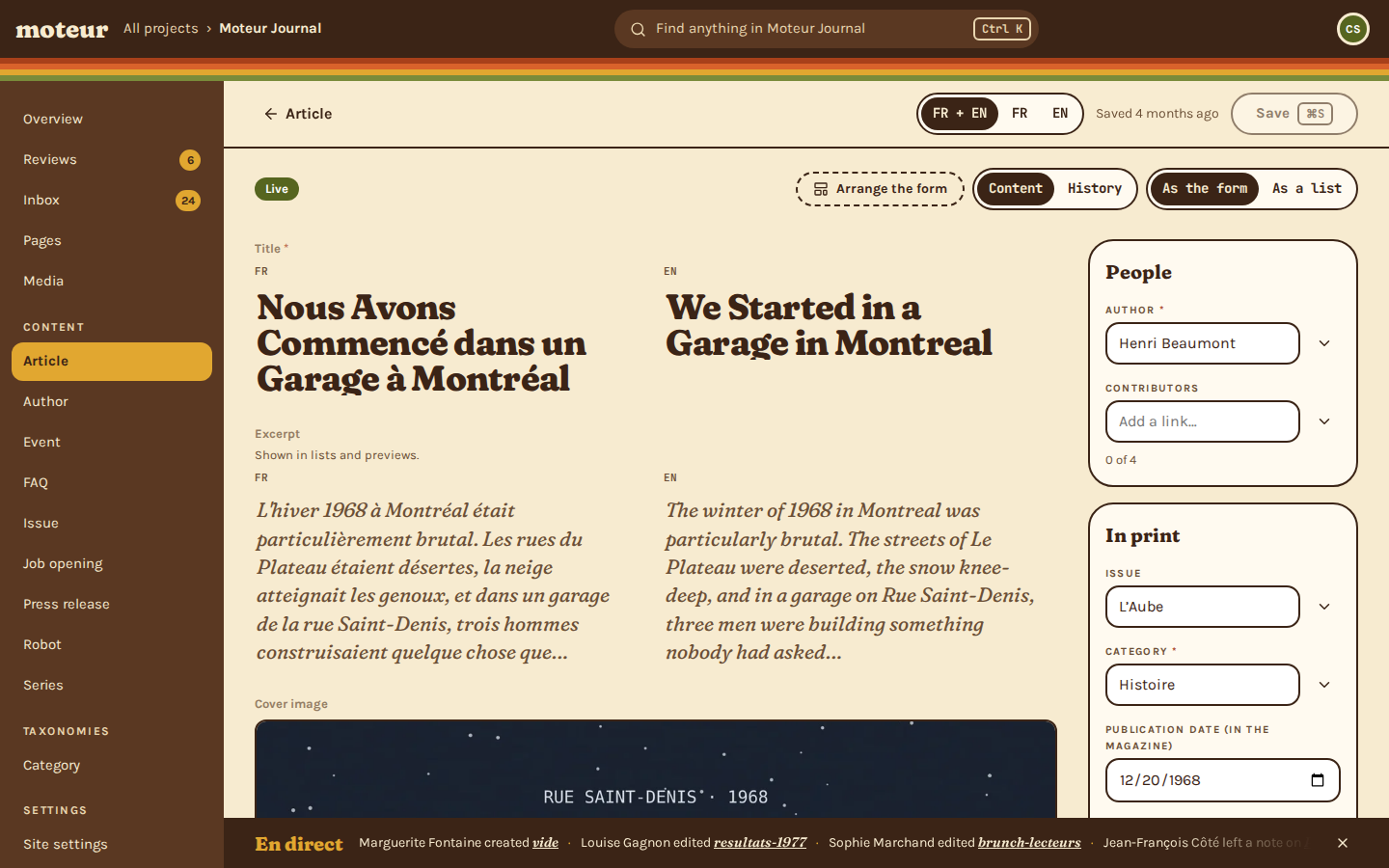
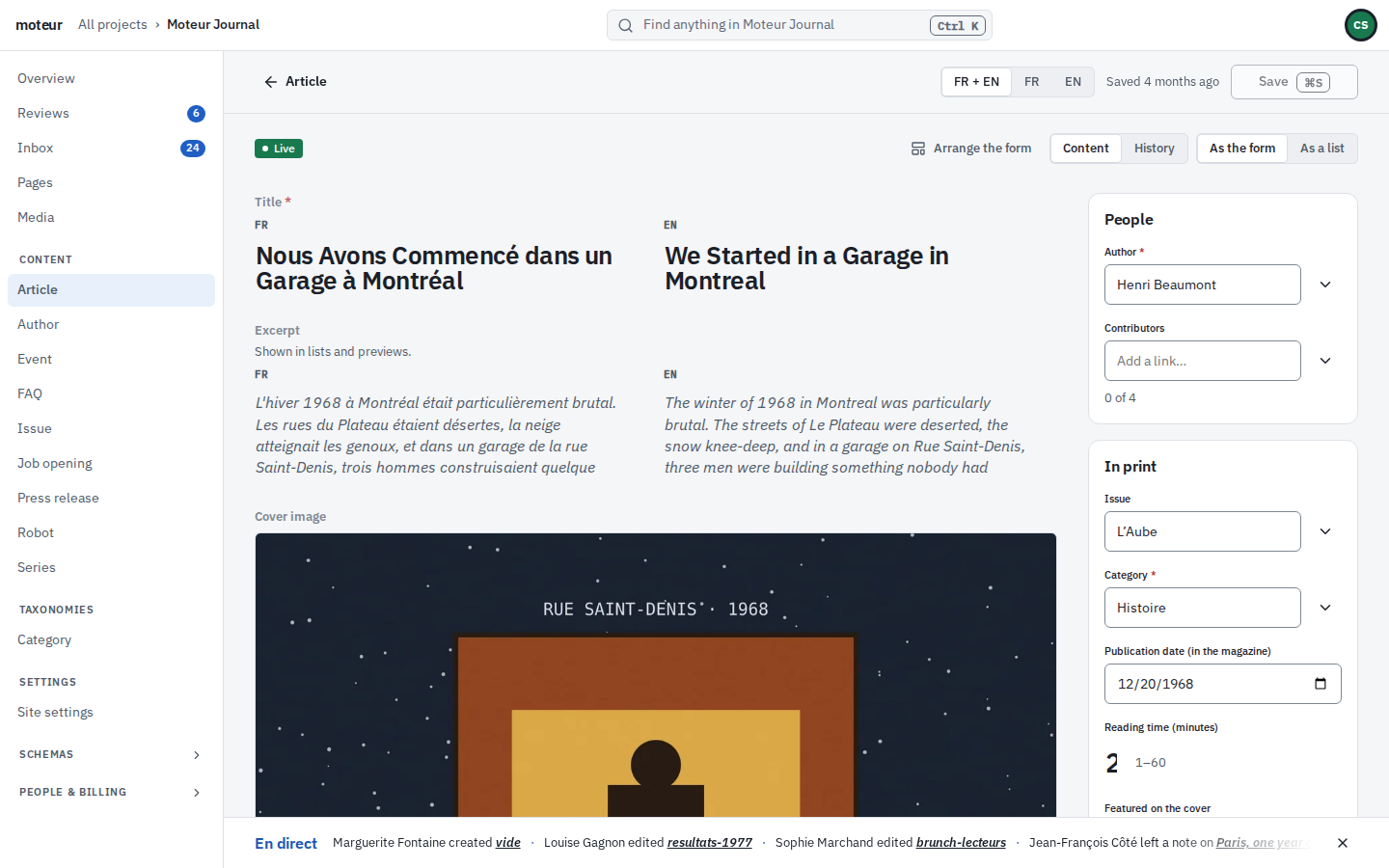
In the Studio, an article is written in French and its English side is empty. One click translates both fields into English, each marked “machine translation, not yet read”. The editor marks the title as right, changes “eight thousand two hundred and forty-three” to “8,243” in the excerpt, and saves.
What happens when your client hits Save
No plugin, no sync job: three things, every time.
1. They edit in the Studio
Louise, on the client’s team, changes an article. She sees both languages and what still needs review.
git log
721f194  Update press-release/resultats-1977
         Louise Gagnon
7238adb  Update event/brunch-lecteurs
         Sophie Marchand
c5f772f  Create faq/vide
         Marguerite Fontaine
git log
4947387Update article/issue-01-1 — Louise GagnonOct 25, 19:45115df6dUpdate article/issue-01-1 — Louise GagnonOct 25, 19:3193b6fc6Create article/issue-01-1 — Louise GagnonJun 10, 00:44
2. Moteur commits it
Every save is a commit in the project’s own Git repository: who, what, when, and a way back.
your frontend
const [article] = await moteur
  .channel('public')
  .entries.list('article');

article.data.title.en
// "We Started in a Garage in Montreal"
your frontend
const article = await moteur
  .channel('public')
  .entries.get('article', 'issue-01-1');

article.data.title.en
// "We Started in a Garage in Montreal"
3. Your site reads it
Once a person approves it, the published version is what your frontend gets through the project’s API.
Try it: this one runs in your browser. In Moteur, the answer changes once a reviewer approves the save.
Looking for our first agency partners
We’re building the agency program with the agencies that use Moteur first: partner terms, support, and a place in our directory. This spot is for your agency’s logo and words.
Tell us about your agencyBuilt for agency work
What changes for an agency
The parts of Moteur that matter when you run many client sites, and what each one saves you.
Modelling
Model the content once
Tell Moteur once what each client publishes: articles, events, products. The Studio’s forms, the API and the checks all follow from it.
- Forty kinds of field, from a headline to a gallery
- Every model kept in Git, with its history
models/article/model.json
{ "id": "article", "label": "Article", "fields": { "title": { "type": "core/text", "label": "Title", "options": { "multilingual": true, "required": true, "maxLength": 140 } }, "body": { "type": "core/block-list", "label": "Body", "options": { "required": true } } } }Pages
Pages from your blocks
Your components become the blocks the client builds pages with. They can add, move and fill them. They can’t invent one your frontend can’t draw.
- You choose which blocks each page allows
- One block, one component in your code
blocks/pull-quote.json
{ "type": "demo/pull-quote", "label": "Pull quote", "fields": { "text": { "type": "core/rich-text", "options": { "multilingual": true, "required": true } }, "attribution": { "type": "core/text", "options": { "multilingual": true } } } }Collaboration
Work on it together, live
Your team and the client’s see who is where before anyone types. Nobody has to ask on Slack who has the homepage open.
- Down to the field, and the language
- Crossed saves sorted out field by field
Workflow
Nothing live without review
Turn on reviews and every change waits for a person to approve it, so a typo never reaches the client’s homepage by itself.
- The reviewer sees exactly what changed
- Approving publishes it. Sending it back keeps the draft
Languages
Bilingual from the first field
Every field in every language, side by side, with missing and stale translations flagged before review.
- A translator role that only touches translations
- Machine translation stays marked until someone reads it
entry.json
{ "title": { "fr": "Nous Avons Commencé dans un Garage à Montréal", "en": "We Started in a Garage in Montréal" } }Ownership
Content in Git
Each project is a Git repository: history per entry, a way back for every change, no content locked in a vendor’s database.
- Every save is a commit: who, what, when
- Push it to your own remote whenever you like
git show 4947387
4947387 Louise Gagnon Update article/issue-01-1 — Louise Gagnon @@ -7 +7 @@ - "en": "We Started in a Garage in Montreal" + "en": "We Started in a Garage in Montréal"Handoff
A handoff that holds
Every client in one account. Invite each client’s team with the roles their job needs, and keep the keys yourself.
- Eight roles, set per project
- Switch clients from the top bar
Developers
One API per site
Each site reads its own channel: the models and fields it needs, published content only.
- An OpenAPI document for every channel
- Keys that only read, and only from your domains
GET …/channels/public/article/entries/issue-01-1
{ "id": "issue-01-1", "type": "article", "status": "published", "data": { "title": { "fr": "Nous Avons Commencé dans un Garage à Montréal", "en": "We Started in a Garage in Montréal" }, "author": "henri" } }Forms
Forms with an inbox
Contact and quote forms without another service to pay for. Submissions land in the Studio’s Inbox, where the client reads them.
- Sent on by email or webhook, or kept as a draft
- A spam trap built in
Media
A media library that stays tidy
The client’s pictures, with alt text in each language and a focal point every crop keeps.
- Duplicates caught on upload
- Replace a picture everywhere at once
Quality
Radar checks every save
Sixteen checks run as the content changes and catch what slips: a missing alt text, a stale translation, a link to a draft.
- Read it from the API, the CLI or an agent
- A webhook when something breaks, and when it’s fixed
GET /projects/demo/radar
{ "ruleId": "missing-locale", "severity": "warning", "entrySlug": "issue-02-3", "fieldPath": "title", "locale": "en", "message": "Default locale has a value but en is empty.", "hint": "Add a translation for this locale." }AI
Agents that wait their turn
Connect Claude through MCP to draft and translate. Every agent edit is marked, and goes through review like anyone’s.
- Connected project by project, with the access you choose
- An agent can never approve its own work
In the newsroom
Work on it together, live
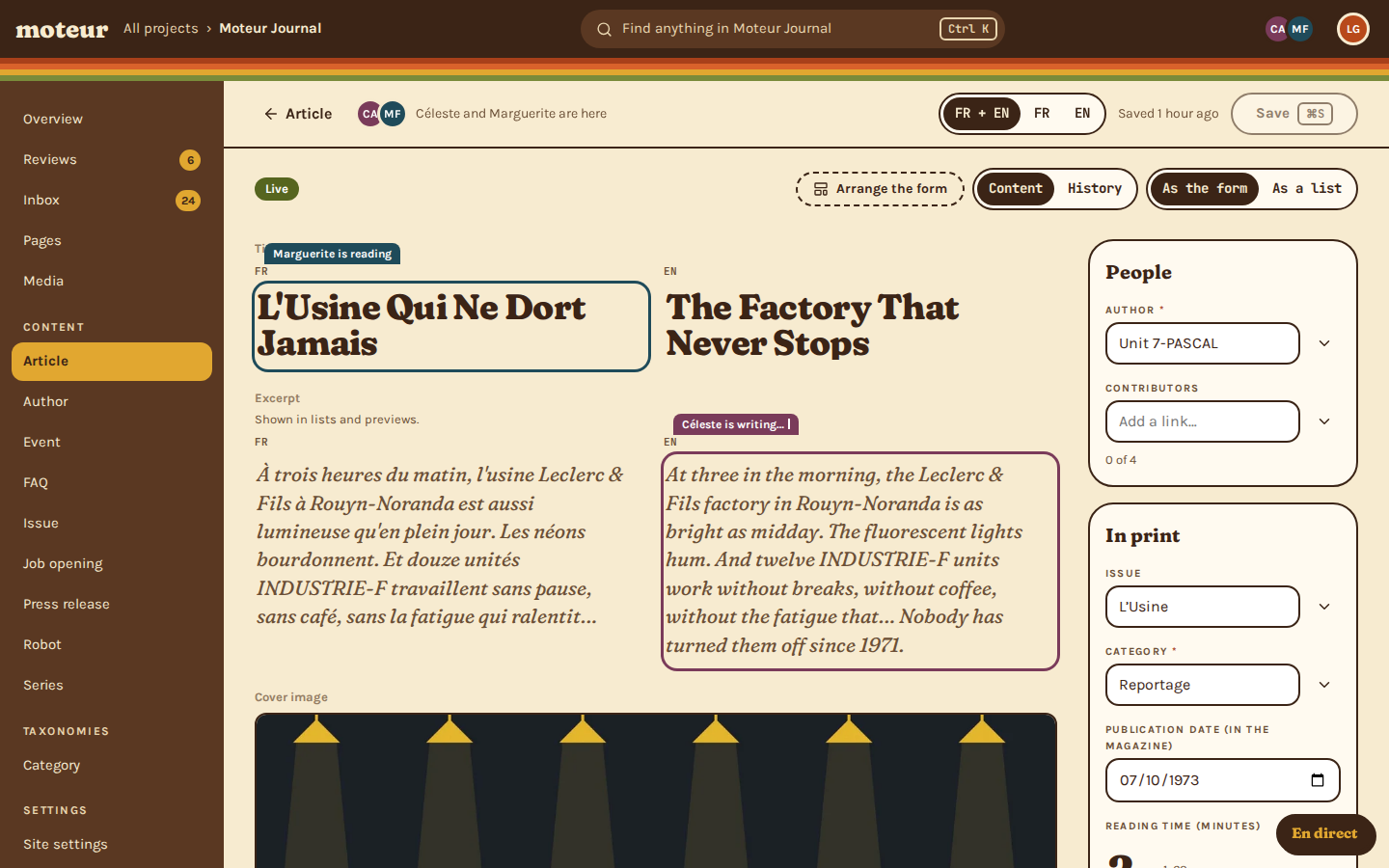
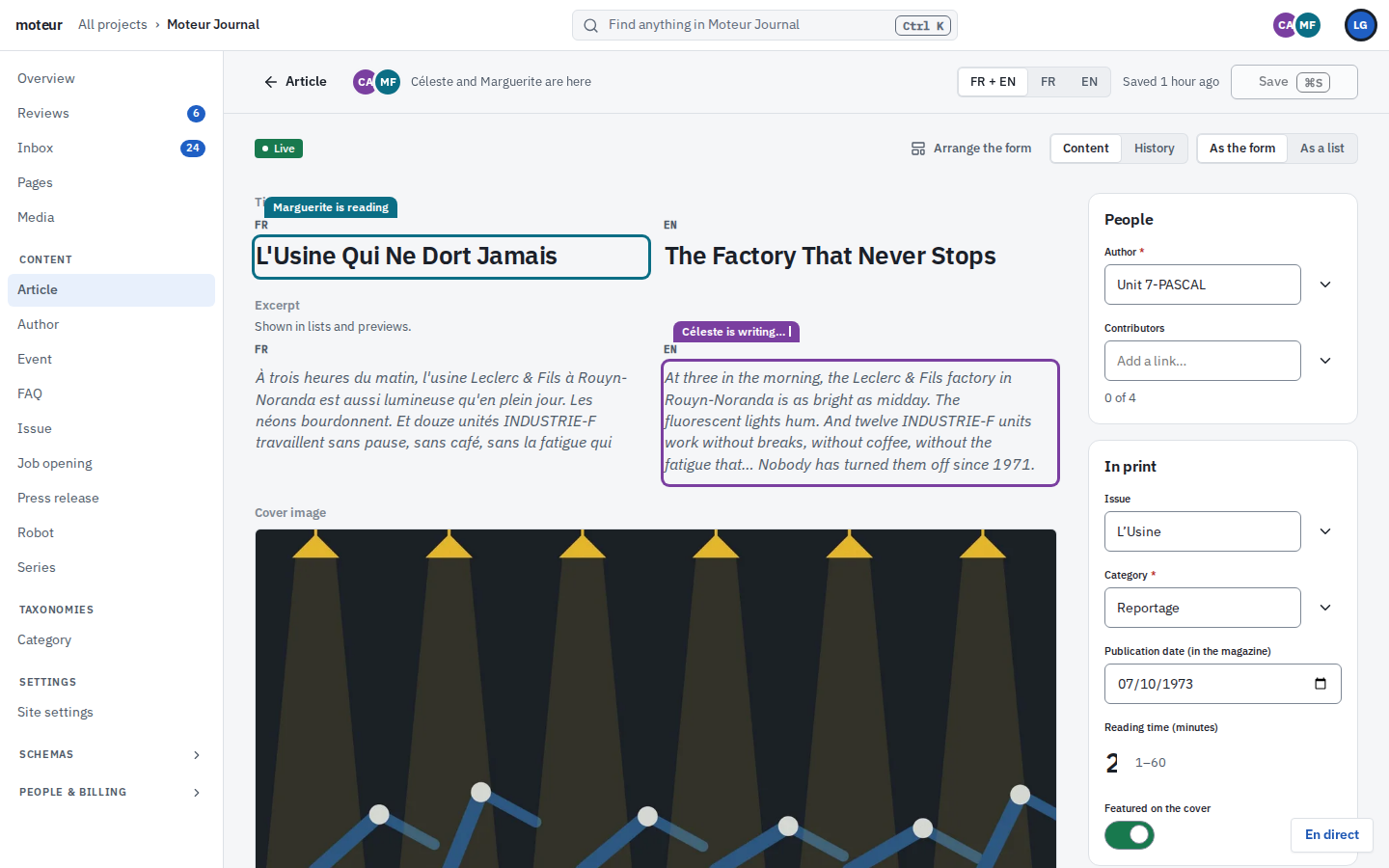
Monday morning: the client’s editor is fixing the French title while your writer finishes the English excerpt. In Moteur they see each other before they type, so nobody saves over anybody.
- Everyone in the project shows in the top bar, and each field shows who’s in it
- What someone types appears for the others as they type it. The field you’re in never moves under you
- If two saves still cross, whatever doesn’t clash merges by itself, and you choose the rest
- Notes stay pinned to the field they’re about
- 2 min agoLouise Gagnon published “We Started in a Garage in Montréal”
- 5 min agoMarguerite Fontaine asked for a review of “The Factory That Never Stops”
- 9 min agoCéleste Armand approved “The Factory That Never Stops”
- 14 min agoThéo Nguyen left a note on “Sept-Îles, the town that listens”
- 22 min agoClaude edited “Paris, one year on”
- 31 min agoSophie Marchand created “Le brunch des lecteurs”
- 47 min agoCéleste Armand sent back “SIGNAL-2”
The Moteur Journal demo team’s afternoon, in the Studio’s own words.
Week one
From signed contract to launched site
The same four steps for every client.
Create the project
Start from a blueprint or empty, name the project after the client, choose its languages, and model its content.
Connect your frontend
Make a key for the project’s site channel, limited to the site’s domain. Your frontend reads the published content.
Invite the client’s team
Writers write, reviewers approve, you keep the keys. Everyone signs in to the same Studio.
Go live, and keep it live
Approving publishes, and a signed webhook tells your host to rebuild. Radar checks every save for missing alt text, stale translations and broken links.
For your developers
Model it once, the way the site needs it
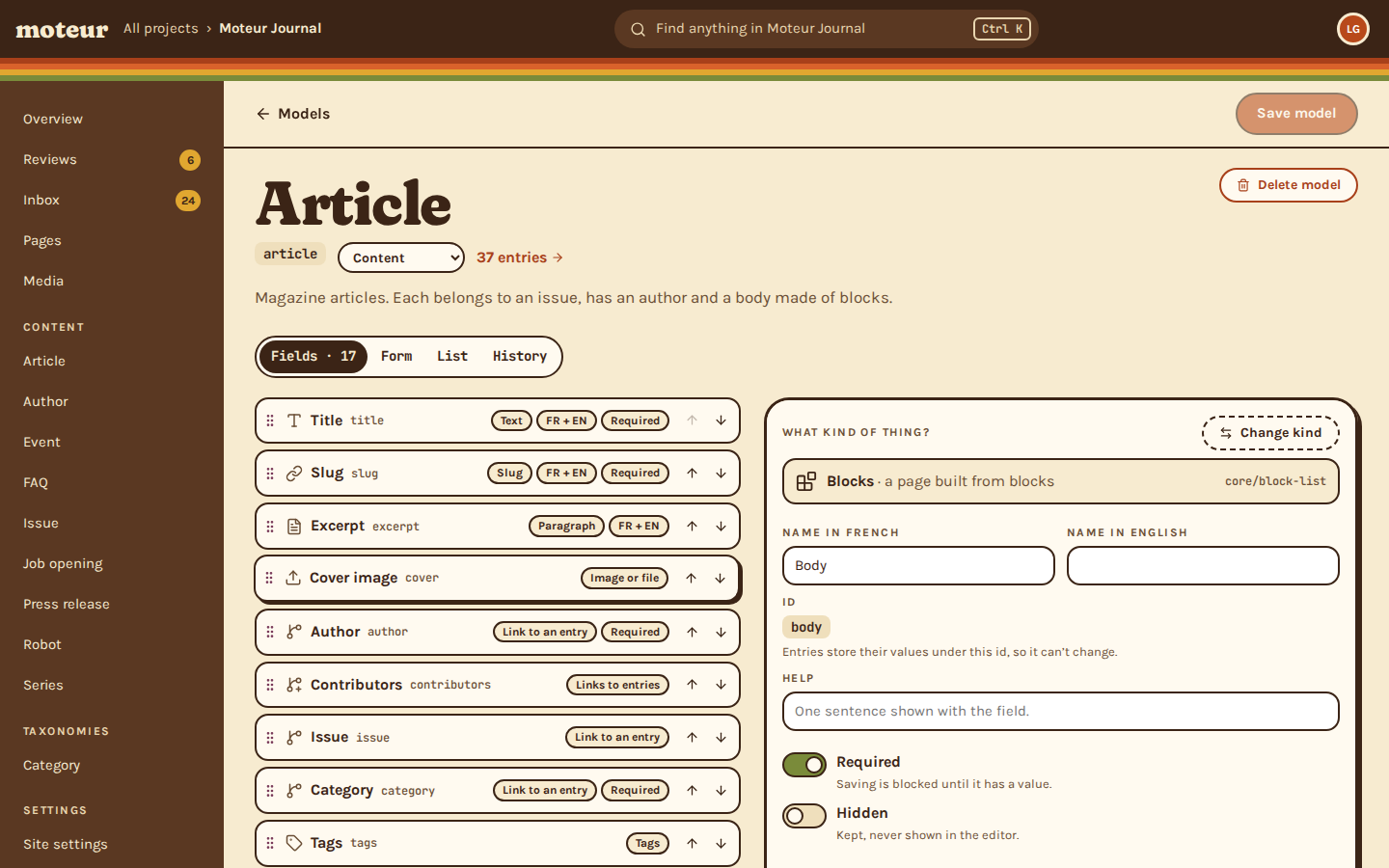
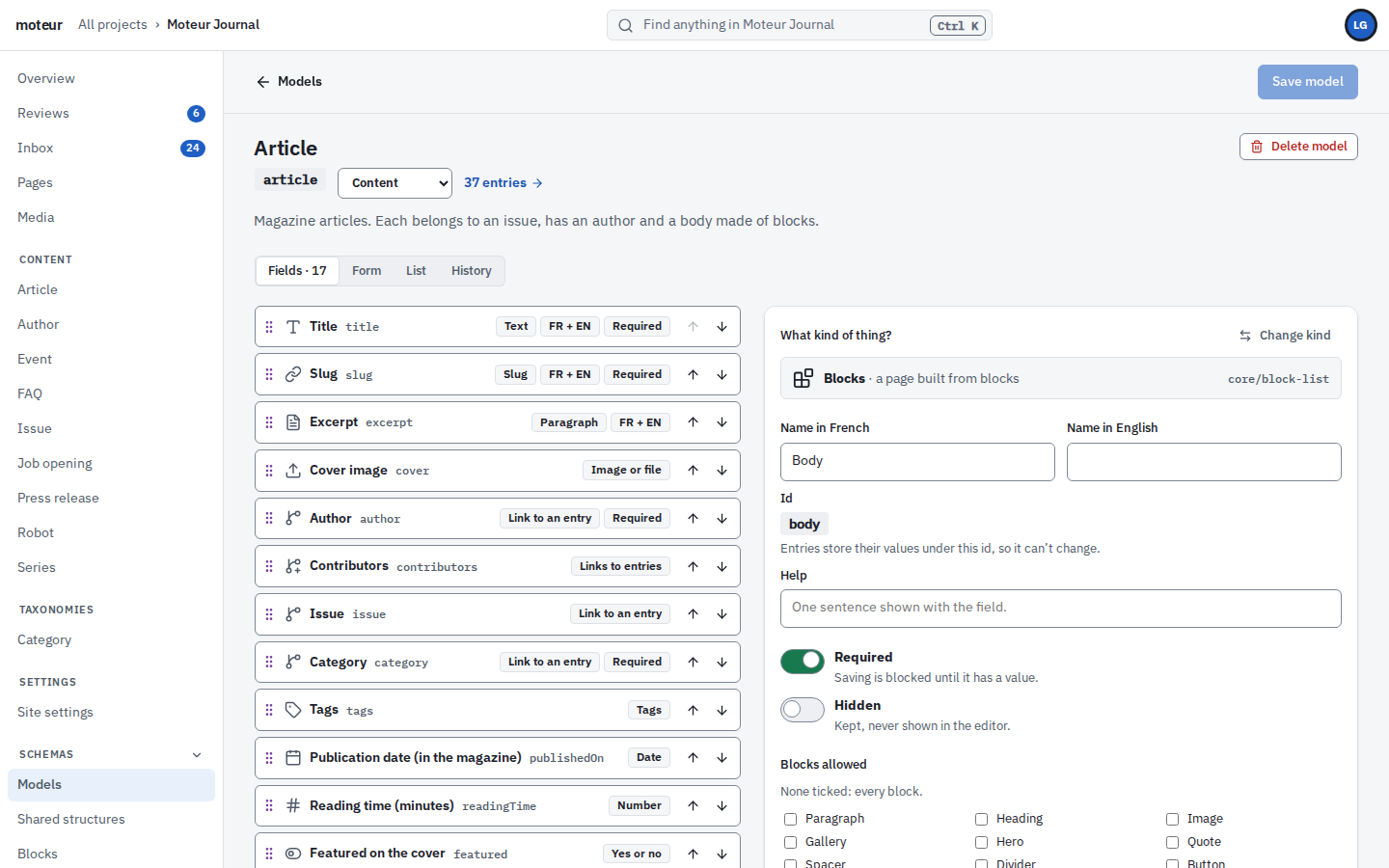
A model is what an entry holds. A block is what a page can be made of. You write the frontend against both, and the client’s team fills them in.
- Forty kinds of field: text, rich text, dates, media, links to other entries, lists of blocks
- Each field holds one value per language, or one for all
- Models are files in the project’s Git repository: edit them in the Studio or in your editor, and roll any of them back
- Add a field after launch and nothing breaks: existing entries simply get it, empty
- Only builders and developers change a model, and the API holds that line, not just the Studio
A second pair of eyes
Review, built in
Every change your client’s team makes waits in one queue. Reviewers see who asked and when, approve it, or send it back with a note.
- Changes from people and from agents, in one queue
- Approving publishes. Rejecting keeps the draft
- Every decision is in the project’s history
Marguerite, a writer, changes the English headline “The Factory That Never Sleeps” to “…Never Stops” and asks for review. Then Céleste, the reviewer, is introduced. She opens the review, sees the one word that changed, and approves it, which publishes it.
The groove
Four people, one history
Everyone works at once, each in their own lane: writing, translating, reviewing. Every save lands in the same history, and what goes live is what the reviewer approved.
- Marguerite Fontaine: Drafts the headline; Asks for review.
- Louise Gagnon: Fixes the French title; Adds the cover.
- Claude: Translates the excerpt; Marked: not yet read.
- Céleste Armand: Sees one word changed; Approves.
- Published
Louise invites Camille from the client’s team as a writer, and keeps the invite link to share by hand. Then Marguerite, a writer, signs in: her Studio shows the content and the site’s settings, nothing else, and she opens an article.
For the client’s team
A handoff that doesn’t end in a support ticket
When the site launches, the client’s people get a Studio sized to their job. They write and review. They can’t change the models your frontend depends on.
- Roles per project: writer, translator, reviewer, content lead, builder, admin, developer, billing
- Invitations by email, one project at a time
- You keep developer access to every client project
Two looks
One Studio, two moods
Discothèque for the newsroom that wants a little joy, Folio for the bank that doesn’t. Each person picks their own look from their account menu, and nothing about the content changes.
For the tech lead
Safe to hand over, quick to load
Your tech lead will ask before you put a client on anything new. Here are the answers, and none of them needs setting up.
- Your site’s key can only read, only its channel, only from your domains. It’s stored hashed, and you can rotate it
- A channel hands out published content and the fields you chose, nothing else
- Images are cut to size on request, in WebP or AVIF, around their focal point, then cached for a year
- Every webhook is signed, and retried for two hours if your server is down
- An agent gets in through OAuth, project by project, with only the access you grant
your frontend
import { imageAttributes } from '@moteurio/client';

// One request: published only, the fields the channel allows.
const [article] = await moteur
  .channel('public')
  .entries.list('article');

// The cover, cropped around its focal point,
// in AVIF, with its alt text in French.
<img {...imageAttributes(article.data.cover, {
  ratio: '16:9', format: 'avif',
  sizes: '50vw', locale: 'fr',
})} />
Where Moteur sits1
Against the two kinds of CMS agencies usually choose between.
| Moteur | A CMS on your own server | A hosted headless CMS | |
|---|---|---|---|
| Where the content lives | A Git repository per project | A database you run | The vendor’s cloud |
| History of every change | Every save is a commit | Depends on plugins | Per entry, often by plan |
| Editing for the client’s team | The Studio, bilingual, with reviews | An admin you theme | A hosted editor |
| Who runs it | Moteur Cloud, or your own server | You | The vendor |
| If you leave | The engine is open source (MIT): run the same projects on your own server | Export and migrate | Export through the API and migrate |
Checked October 2026. Kinds of CMS, not named products: each named comparison has its own page.
A plan per client project
Start free. Move a project to a paid plan when its site needs room. Prices come straight from Moteur’s billing.
Free
$0 / month
To try Moteur, or for a small site. One per person.
- 1 person
- 1 project
- 10 AI credits a month
- 100 MB of files
- 2,000 API requests a month
- 1 GB of image traffic a month
- 1 API channel
- 1,000 entries
- 50 pages
- 100 form submissions a month
Personal
$9 / month$89 / year
For a personal site or a portfolio, with room to grow.
- Up to 2 people
- 1 project
- 500 AI credits a month
- 1 GB of files
- 10,000 API requests a month
- 10 GB of image traffic a month
- 2 API channels
- 10,000 entries
- 500 pages
- 1,000 form submissions a month
Most agencies pick this
Pro
$39 / month$389 / year
For a site with a small team behind it.
- Up to 5 people
- 1 project
- 5,000 AI credits a month
- 5 GB of files
- 100,000 API requests a month
- 100 GB of image traffic a month
- 5 API channels
- 200,000 entries
- 2,000 pages
- 10,000 form submissions a month
- Writing and translation help
Extra
$129 / month$1,289 / year
For a busy site and the team that runs it.
- Up to 20 people
- 1 project
- 25,000 AI credits a month
- 20 GB of files
- 200,000 API requests a month
- 250 GB of image traffic a month
- 10 API channels
- 2,000,000 entries
- 500,000 pages
- 20,000 form submissions a month
- Everything in Pro
Extras, on any paid plan
- More people1 person$8 a month
- More API requests50,000 API requests a month$10 a month
- More AI credits2,500 AI credits a month$10 a month
- More room for files10 GB of files$5 a month
- More image traffic50 GB of image traffic a month$5 a month
Agencies: talk to us about the partner program.
Questions agencies ask
A project lead asksCan our client’s team break the site?
MoteurNot by editing. Writers and reviewers change content, not the models your frontend reads. With reviews on, their changes wait for a reviewer before they go live.
An editor asksWhat happens when two people edit the same article?
MoteurThey see each other first: who’s in the article, and in which field. If their saves still cross, everything that doesn’t clash merges by itself, and the Studio asks which version to keep for the rest. Live collaboration comes with Moteur Cloud, on any plan with room for two people or more.
A developer asksCan we change a model after the site is live?
MoteurYes. Add a field and every entry gets it, empty. Remove one and its values stay stored, just out of the API. The one thing you can’t do is rename a field’s id, because entries are stored under it. And every change to a model is a commit you can roll back.
Someone, at 11 pm, asksIt’s 11 pm and a typo just went live. Can we undo it?
MoteurYes. Every save is a commit: open the entry’s History, restore the version before the typo, and publish it. Restoring saves it again as a new version, so nothing is lost. It takes less time than the email you were about to write.
A developer asksCan we use one stack for every client?
MoteurYes. Every frontend reads its project the same way: a channel, a read-only API key, and the channel’s own OpenAPI document. Your block components carry over from one client to the next.
An agency owner asksWho pays for a client’s project?
MoteurEach project has its own plan. Whoever holds the project’s billing role manages it: you, or the client.
A tech lead asksHow do we keep a client’s content safe?
MoteurEach person gets a role per project, and the API checks it on every request. Your site’s key can only read what its channel shows. And every change is in Git with a name on it, agents included.
An agency owner asksIs there an agency program?
MoteurWe’re setting it up with our first agencies: partner terms, support and a listing in our directory. Tell us about your agency below.
A client’s IT team asksCan a client run Moteur on its own servers?
MoteurYes. The engine is open source (MIT): the API, the CLI, the Studio in the terminal and MCP. Moteur Cloud adds the web Studio, live collaboration, AI help, media storage and the operations.
A cautious editor asksCan AI agents publish on their own?
MoteurNo, not by default. Agents connected through MCP draft and translate. Their edits are marked and go through the same review as everyone else’s.
Put your next client on Moteur.
Start a project for free, or show us your agency’s work and we’ll set it up together.
Book an agency demo
Thirty minutes with us, on your kind of client sites. We’ll answer within a working day.