Client handoff
Hand the site over. Keep the keys.
When a site launches, the client’s team gets a Studio sized to their job: they write, translate and review. You keep the models, the API keys and, if you like, the bill.
Louise invites Camille from the client’s team as a writer, and keeps the invite link to share by hand. Then Marguerite, a writer, signs in: her Studio shows the content and the site’s settings, nothing else, and she opens an article.
Launch week
The handoff, in four steps
The same four for every client, and none of them needs a developer once the site is built.
Invite the client’s team
One invite per person, by email, with the roles their job needs. The link is shown once too, so you can pass it on yourself.
Turn on reviews
“Writers need a review to publish”: from then on, every change waits for a reviewer. Content leads can still publish a fix at once.
Keep the keys
API keys, channels and webhooks belong to developers. Models, blocks and forms to builders. Give the client neither, and nothing they do can break the site.
Decide who pays
Give the billing role to whoever pays the plan: you, or the client. They manage the plan and the card, and nobody else sees it.
Eight roles
Who can do what
Roles are set per project: someone can review one client’s site and only write on another’s. Pick a role to see the Studio as they do, with reviews on.
- Write and edit entries and pages
- Edit translations
- Ask for review
- Approve, which publishes, or send back, not for the writer role
- Publish without a review, not for the writer role
- Delete for good from the bins, not for the writer role
- Change models, blocks and forms, not for the writer role
- Change settings and people, not for the writer role
- Make API channels, keys and webhooks, not for the writer role
- Change the plan and the card, not for the writer role
I write and edit, in both languages. When I’m done, I ask Céleste.
I work on the other languages. The original stays as the writer left it.
I read exactly what changed, then approve it, which publishes, or send it back with a note.
I publish without waiting for a review, look after the media and the menus, and empty the bins.
I shape what the site is made of: models, blocks, templates and forms.
I run the project: its settings, the team and the invites. I can publish a fix at once.
A builder who also connects the site: JSON, channels, keys, webhooks and the Git remote.
I see the plan, the card and the invoices. Nobody else does.
Turn on reviews
Nothing live without a reviewer
With reviews on, a writer’s change waits in the reviewer’s queue. The reviewer sees exactly what changed, word by word, and approving it is what publishes it.
- Writers ask for review. Reviewers approve or send it back with a note
- Content leads can still publish a fix at once
- Every decision stays in the project’s history
Marguerite, a writer, changes the English headline “The Factory That Never Sleeps” to “…Never Stops” and asks for review. Then Céleste, the reviewer, is introduced. She opens the review, sees the one word that changed, and approves it, which publishes it.
After launch
Questions stay with the content
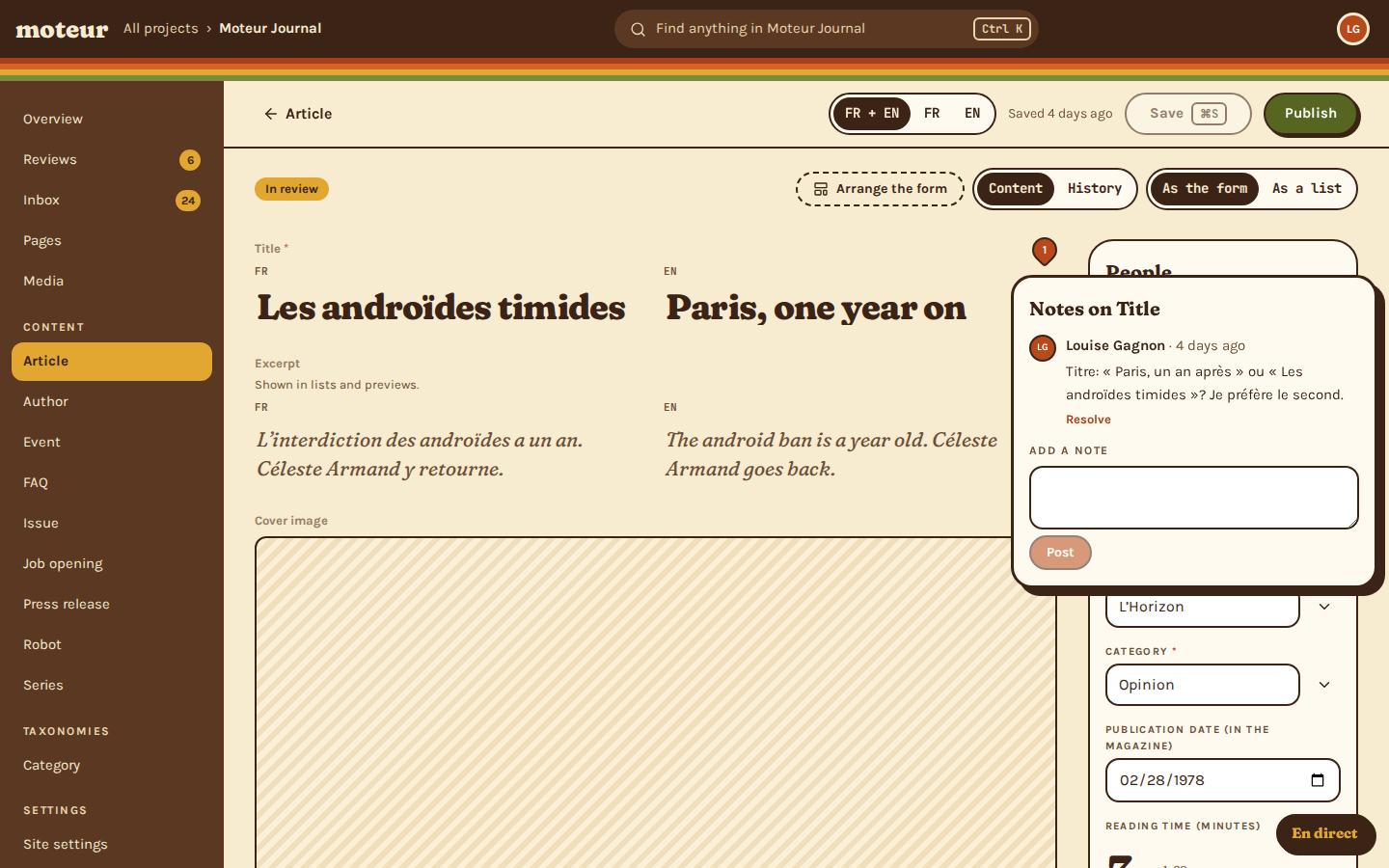
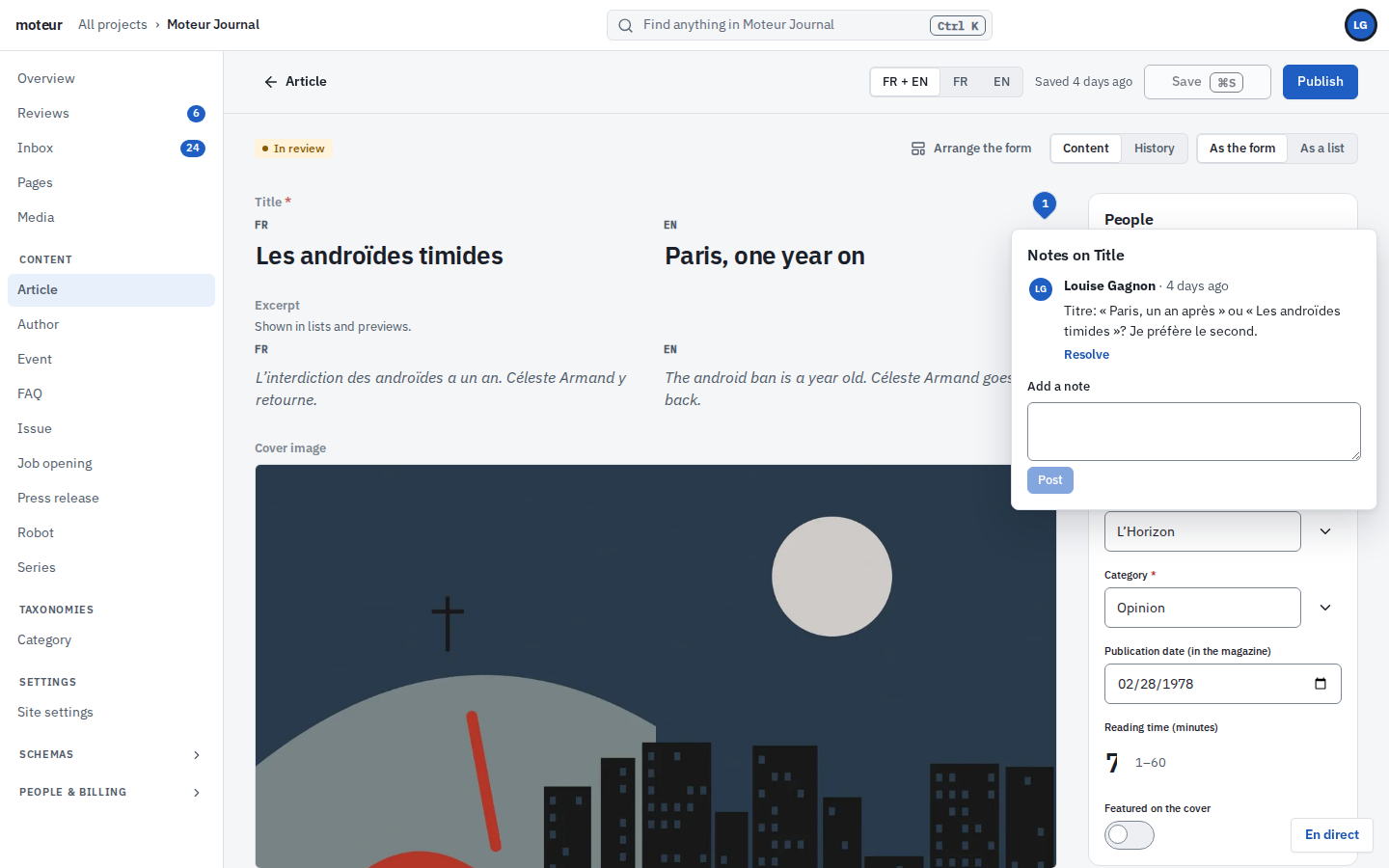
When the client’s editor isn’t sure about a headline, they leave a note on that field instead of an email. Whoever answers does it there, and it’s resolved where everyone can see it.
- Notes pinned to the field they’re about, in every language
- See who’s in which entry before you start typing
- Crossed saves are sorted out field by field
Questions about the handoff
A reader asksCan the client’s team break the site?
MoteurNot by editing. Writers and reviewers change content, not the models your frontend reads or the keys it uses. With reviews on, nothing they write goes live without a reviewer.
A client asksCan a client see our other clients?
MoteurNo. People only see the projects they’ve been invited to, with the roles they have in each.
A project lead asksWhat if the client wants to edit the models?
MoteurGive one person on their side the builder role. Every model change is a commit, so anything they change can be rolled back.
An agency owner asksCan we hand the whole project over?
MoteurThe project stays in the account that created it, so create client projects from an agency account you’ll keep. The client can get any role, billing included, and the content can be pushed to their own Git remote.
A client’s editor asksWhat does the client’s team need to learn?
MoteurVery little. The Studio shows both languages side by side, marks what still needs reading, and a review shows exactly what changed. It’s in English and French.
Hand over your next site with Moteur.
Start a client project for free, and invite their team when the site is ready.