Body
- Heading
core/heading - Paragraph
core/paragraph - Image
core/image - Paragraph
core/paragraph
Add a block
Models & blocks
Say once what an article, an event or a product holds, and which blocks a page may use. Your developers build against it, the client’s team fills it in, and the API refuses whatever doesn’t fit.
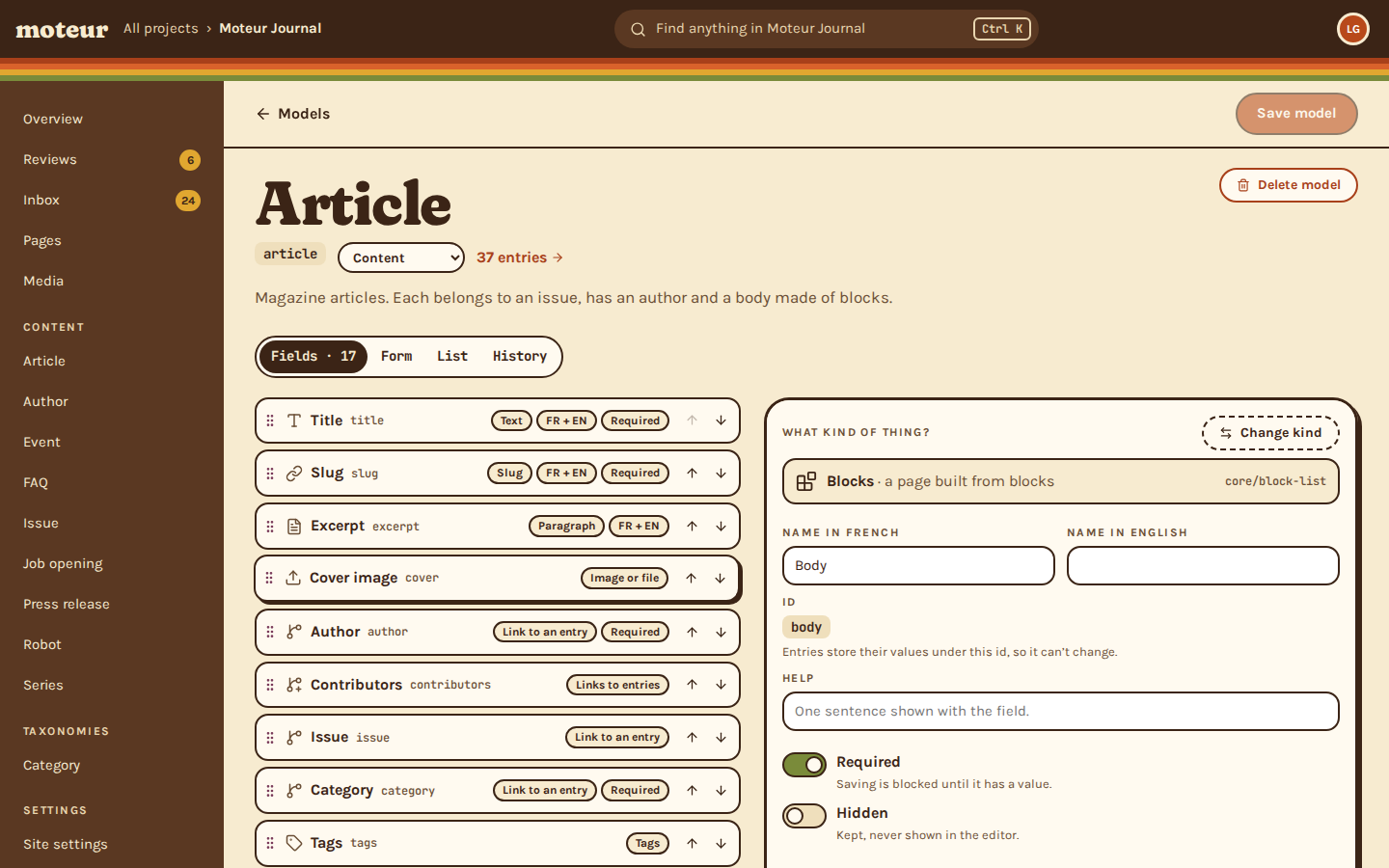
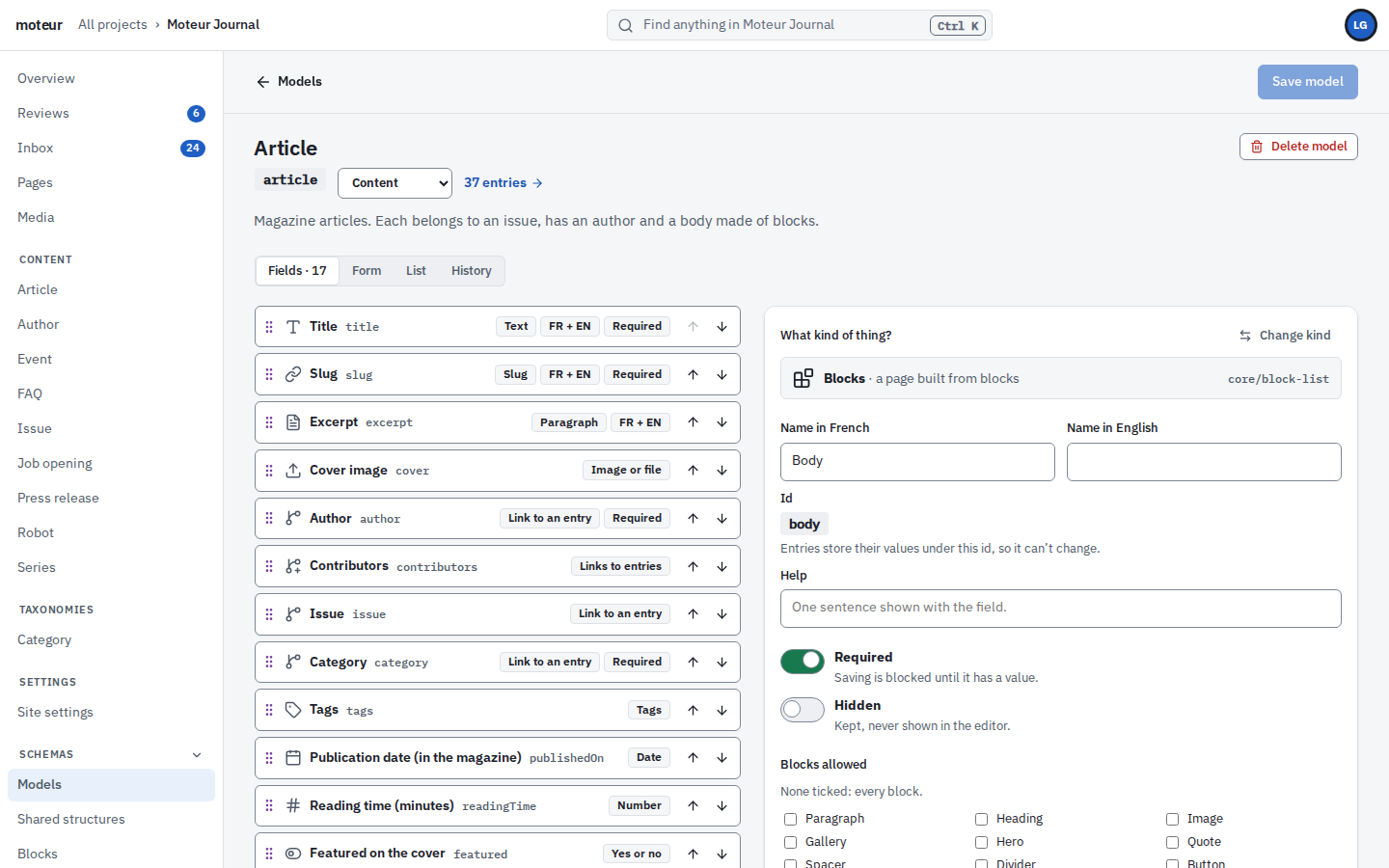
Try to break it
Théo allowed five kinds of block in this body, one to six of them. Add what you like, forbidden ones too, then save. An editor, a script or an agent would get the same answer.
The rule, in the model
{
  "type": "core/block-list",
  "label": "Body",
  "options": {
    "allowedBlockTypes": [
      "core/paragraph",
      "core/heading",
      "core/image",
      "core/quote",
      "demo/pull-quote"
    ],
    "minBlocks": 1,
    "maxBlocks": 6
  }
}Body
core/headingcore/paragraphcore/imagecore/paragraphAdd a block
The API answers
Théo’s rule is an example. The answers are word for word what Moteur sends back.
Set up once
Your developers set it up once per client. After that, nobody on the client’s side can bend it out of shape.
Fields
Text, rich text, dates, media, links to other entries, lists, tables, colours, addresses, 3D models, and lists of blocks.
Blocks
A page body takes only the blocks you list, as many as you allow. The client builds freely inside those lines.
Structures
Fields you need in many places, like a page’s search title, description and share image, defined once.
Git
Each model is a file in the project’s Git repository. Every change to it is a commit with a name on it.
Roles
Writers fill models in. Changing one takes a builder or a developer, and the API refuses anyone else.
Studio
The Studio builds each editing form from the model’s fields. You never code an editing screen.
On disk
The demo journal’s Article model, as a file in its repository. Review it in a pull request like the rest of your code.
models/article/model.json
{
  "id": "article",
  "label": "Article",
  "modelType": "content",
  "fields": {
    "title": {
      "type": "core/text",
      "label": "Title",
      "options": {
        "multilingual": true,
        "required": true,
        "maxLength": 140
      }
    },
    "slug": {
      "type": "core/slug",
      "label": "Slug",
      "options": {
        "sourceField": "title",
        "multilingual": true,
        "required": true
      }
    },
    "author": {
      "type": "core/relation",
      "label": "Author",
      "options": {
        "model": "author",
        "required": true
      }
    },
    "cover": {
      "type": "core/asset",
      "label": "Cover image"
    },
    "body": {
      "type": "core/block-list",
      "label": "Body",
      "options": {
        "required": true
      }
    },
    "seo": {
      "type": "core/structure",
      "label": "SEO",
      "options": {
        "structure": "core/seo"
      }
    }
  }
}MoteurNothing changes in them. The new field stays empty until someone fills it in. If it’s required, it’s asked for before the entry goes to review or live.
MoteurIts values stay in the entries’ files, unread. Put the field back and they’re there again, or restore the model from its history.
MoteurOnly if you make them builders. Writers, reviewers and translators fill in entries. Changing a model takes a builder or a developer, and the API checks.
MoteurYes. With the plugin SDK, add a field or a block of your own, beside the forty.
MoteurYes. `moteur types` writes them from a channel: every model, block and structure, all the way down. Commit the file, and with --check, CI fails when it falls behind the project.
MoteurYes. A variant field holds one of several shapes, each with its own fields: an exhibit that is a picture, a code listing or a video. The writer picks one, saving checks that shape, and the site gets only its fields.
MoteurYes. A link or a relation can point to a page instead of an address. The site gets the page’s address in each language, it follows the page when it moves, and a page that isn’t live comes without one, so nothing links to a dead end.
Start a free project, write one model, and see the Studio’s form appear.